Hey, new dice box, incorporating some lessons learned from another one I did.
There are just two pieces of wood here (3/4" birch), one for the lid and another for the body.
It's all CNC work to cut out the shape and rout out the internal cells and the recess for the top.
The dragon inside the lid is 3d printed, in a matrix of clear epoxy resin, while the edges are 3d printed and painted with copper paint using a green patina finish.
Button magnet clasps as three corners, and cells for 19 dice about 20mm across and, including the in-lid space, the same depth.
Stick-on felt feet for the bottom. The whole body gets a green stain plus a couple of coats of shellac.
...except for the top, which gets a felt surface and a cut-out for the dragon. With the rails around the edge, it doubles as a surface for rolling dice.
A desperate attempt to control the look of our everyday environment with precious little artistic creativity and no relevant skills.
Showing posts with label CNC. Show all posts
Wednesday, April 17, 2019
Saturday, June 3, 2017
Dice Trebuchet
I blame John Kovalic.
(Go read the strip now before I ruin the joke any farther. Back now? OK.)
I've got a few dice towers, but a dice trebuchet? Not so much. So clearly, I needed to make one.
The frame, made from 3/4" birch plywood, is easy. A little CNC work for the supports, routing out spaces for 22mm bearings at the top, cutting through all the way in the center to make room for the axle to move freely, and some sockets in the base for the uprights. A little sanding and it all fits together nicely
The other wooden parts are mostly made from standard stock. At the center of everything is a short section of solid 3/4" square birch. It has 5/16" holes bored at the ends and all the way through the middle. Why 5/16"? Because that's almost exactly the diameter of the 8mm holes in the centers of the bearings. A 5/16" dowel for an axle fits very snugly. Since I've got it around, more dowel forms the throwing arm and the counterweight arm. I'm increasingly using the 3d printer to create jigs and other placement aids, and this project was no exception. All drilling was performed with the use of a jig with a 5/16" bore and a small frame allowing it to be centered on a 3/4" width.
Then it's off to more 3d printing. The basket at the end of the throwing arm is 3d-printed and presents a vastly easier solution than cobbling together a more realistic but teeny sling and release mechanism. It's big enough to accommodate 3d6 for any reasonably sized dice if you're playing GURPS. I assume it'll hold die for other games, but why would you want to play those?
The counterweight is, appropriately, a small dice bag, so it can serve as an ammunition supply as well. There's a small hook on the counterweight end of the arm to hang it off of, but it can be taken off to add or remove dice, changing the force of the projectile. If dice aren't heavy enough (and, to be honest, they probably aren't), those little glass stones can be used which double as level markers for games like Munchkin.
And how effective is it? It's not bad:
That's a fairly standard d6 being propelled across the length of a fairly standard dining table. With a bit of a backstop and/or a smaller counterweight (this was using a stone icosahedron), the trebuchet could actually be used to roll dice. Or to destroy your enemies.
UPDATE: For the benefit of those with CNC machines, I've published the Easel design on Inventables, so you can make your own.
(Go read the strip now before I ruin the joke any farther. Back now? OK.)
I've got a few dice towers, but a dice trebuchet? Not so much. So clearly, I needed to make one.
The frame, made from 3/4" birch plywood, is easy. A little CNC work for the supports, routing out spaces for 22mm bearings at the top, cutting through all the way in the center to make room for the axle to move freely, and some sockets in the base for the uprights. A little sanding and it all fits together nicely
The other wooden parts are mostly made from standard stock. At the center of everything is a short section of solid 3/4" square birch. It has 5/16" holes bored at the ends and all the way through the middle. Why 5/16"? Because that's almost exactly the diameter of the 8mm holes in the centers of the bearings. A 5/16" dowel for an axle fits very snugly. Since I've got it around, more dowel forms the throwing arm and the counterweight arm. I'm increasingly using the 3d printer to create jigs and other placement aids, and this project was no exception. All drilling was performed with the use of a jig with a 5/16" bore and a small frame allowing it to be centered on a 3/4" width.
Then it's off to more 3d printing. The basket at the end of the throwing arm is 3d-printed and presents a vastly easier solution than cobbling together a more realistic but teeny sling and release mechanism. It's big enough to accommodate 3d6 for any reasonably sized dice if you're playing GURPS. I assume it'll hold die for other games, but why would you want to play those?
The counterweight is, appropriately, a small dice bag, so it can serve as an ammunition supply as well. There's a small hook on the counterweight end of the arm to hang it off of, but it can be taken off to add or remove dice, changing the force of the projectile. If dice aren't heavy enough (and, to be honest, they probably aren't), those little glass stones can be used which double as level markers for games like Munchkin.
And how effective is it? It's not bad:
That's a fairly standard d6 being propelled across the length of a fairly standard dining table. With a bit of a backstop and/or a smaller counterweight (this was using a stone icosahedron), the trebuchet could actually be used to roll dice. Or to destroy your enemies.
UPDATE: For the benefit of those with CNC machines, I've published the Easel design on Inventables, so you can make your own.
Thursday, February 4, 2016
Coaster Addendum
Finally picked up some red ink, so I could complete two of the marble coasters.
Yes, I think that works.
Sunday, January 31, 2016
Diamond Distribution
The work with stone I've been doing has been marvelous fun, but there's a significant problem: like math, stone is hard. The carving has to go very slowly, taking very shallow cuts, and it is absolute hell on the bits I've been using. Carbide is great material for wood, plastic, and even some metals, but rock? I can easily kill a bit even on a small piece like the "noncompliant" carving.
So on a tip from the assembled wisdom of the internet, I decided to try a diamond bit. I happened to have a narrow diamond bit intended for engraving for a Dremel tool, which just happens to use the same 1/8" collet as most of the other bits I'm using.
Turns out that it works wonderfully. Working stone still requires slow speeds and shallow cuts, but I could turn up the speed a little bit and double the nearly-negligible depth per pass. Now, twice almost-nothing is still not very much, but it's still effectively halving carving time, which saves tremendous wear and tear on my router.
I decided to make some appropriately themed coasters for my lovely and talented spouse. I laid out the designs to carve a bunch of different symbols within a grid, getting all the carving done in one long job so I could move on to concentrate on post-processing later. I started with cheap slate tiles from the hardware store, but slate's limitations quickly became apparent. The natural variation in the surface of the slate, which is one of the things that makes it attractive, turned out to be greater than the depth to which I was cutting (about 0.8 mm). There were spots where I got no carving at all because the bit never got as far down as the stone, and at least one other where the stone was sufficiently thick that I ended up carving into much greater depth than intended and ended up snapping the bit. Is OK; I had a spare. Next up was white marble tile. The flat surface proved much friendlier to carving.
For post-processing, I experimented with a few more things. I had some metallic ink in dropper bottles, so I tried filling the carved recesses with it. Turns out that works pretty well, too.
I probably should have cut the coasters up first before using the ink, but it turned out OK in the end. Instead of taking the extra time and bit wear to have the CNC machine carve the coasters out all the way, I just pulled out the trusty old tile saw (though I did have the CNC lay down some guide lines). The only real problem I had is that one of my few successful slate pieces flaked a whole layer off the bottom. That would have been a problem had I been worried about thickness. The ink, while not water-proof, was sufficiently water resistant that I could clean them up with a quick rinse and wipe. A little adhesive felt on the bottom, and...
Some of those are unfinished. I realized too late that I don't have red, so the Superman and Flash ones will need a bit of work, and I've got a Huntress likewise awaiting purple. However, I think the carving went well here.
So on a tip from the assembled wisdom of the internet, I decided to try a diamond bit. I happened to have a narrow diamond bit intended for engraving for a Dremel tool, which just happens to use the same 1/8" collet as most of the other bits I'm using.
Turns out that it works wonderfully. Working stone still requires slow speeds and shallow cuts, but I could turn up the speed a little bit and double the nearly-negligible depth per pass. Now, twice almost-nothing is still not very much, but it's still effectively halving carving time, which saves tremendous wear and tear on my router.
I decided to make some appropriately themed coasters for my lovely and talented spouse. I laid out the designs to carve a bunch of different symbols within a grid, getting all the carving done in one long job so I could move on to concentrate on post-processing later. I started with cheap slate tiles from the hardware store, but slate's limitations quickly became apparent. The natural variation in the surface of the slate, which is one of the things that makes it attractive, turned out to be greater than the depth to which I was cutting (about 0.8 mm). There were spots where I got no carving at all because the bit never got as far down as the stone, and at least one other where the stone was sufficiently thick that I ended up carving into much greater depth than intended and ended up snapping the bit. Is OK; I had a spare. Next up was white marble tile. The flat surface proved much friendlier to carving.
For post-processing, I experimented with a few more things. I had some metallic ink in dropper bottles, so I tried filling the carved recesses with it. Turns out that works pretty well, too.
I probably should have cut the coasters up first before using the ink, but it turned out OK in the end. Instead of taking the extra time and bit wear to have the CNC machine carve the coasters out all the way, I just pulled out the trusty old tile saw (though I did have the CNC lay down some guide lines). The only real problem I had is that one of my few successful slate pieces flaked a whole layer off the bottom. That would have been a problem had I been worried about thickness. The ink, while not water-proof, was sufficiently water resistant that I could clean them up with a quick rinse and wipe. A little adhesive felt on the bottom, and...
Some of those are unfinished. I realized too late that I don't have red, so the Superman and Flash ones will need a bit of work, and I've got a Huntress likewise awaiting purple. However, I think the carving went well here.
Tuesday, January 19, 2016
Noncompliant
One last bit of stonework:
Those familiar with comics will recognize this as the "noncompliant" logo from DeConnick and De Landro's Bitch Planet, carved into a piece of slate. This run used very shallow layers (cutting 0.003 in. at a time) to a mere 0.05 in. deep. You don't need a lot of depth to get some decent contrast. I'm considering getting a dropper of india ink or something to color in the letters. Still, you can tell if you look closely at the textures (or at least I can tell) how ongoing wear is affecting the bit through the run. I'm looking at carving some square-foot slate floor tile into 4 inch squares for use as coasters. Slate, by the way, it quite porous and lets water through easily, so as a coaster, it is, dare I say, noncompliant.
This piece is also notable for temporarily killing my router. The stone carving I've been doing lately has involved running it for hours at a time at high power. The brushes in the router (actually blocks of carbon used to run current through the spinning parts in places where a wire would snap instantly) have finally worn down to the point where they can't keep contact. Fortunately, they're cheap to replace, so I should be up and running again soon.
Photo by my lovely and talented spouse. Don't tell her what to do.
Those familiar with comics will recognize this as the "noncompliant" logo from DeConnick and De Landro's Bitch Planet, carved into a piece of slate. This run used very shallow layers (cutting 0.003 in. at a time) to a mere 0.05 in. deep. You don't need a lot of depth to get some decent contrast. I'm considering getting a dropper of india ink or something to color in the letters. Still, you can tell if you look closely at the textures (or at least I can tell) how ongoing wear is affecting the bit through the run. I'm looking at carving some square-foot slate floor tile into 4 inch squares for use as coasters. Slate, by the way, it quite porous and lets water through easily, so as a coaster, it is, dare I say, noncompliant.
This piece is also notable for temporarily killing my router. The stone carving I've been doing lately has involved running it for hours at a time at high power. The brushes in the router (actually blocks of carbon used to run current through the spinning parts in places where a wire would snap instantly) have finally worn down to the point where they can't keep contact. Fortunately, they're cheap to replace, so I should be up and running again soon.
Sunday, January 17, 2016
"Inlaid" Stone Carving
This is something I've been wanting to work with for a while. It's relatively easy to get contrasting colors when engraving or carving. Just paint or stain the surface; the area which is carved away will reveal the original color of the material. But I wanted to do it the other way around: leave most of the material the original color and fill in the carved bits with something else.
The obvious dodge here is to mask the entire surface with something that'll stick around during carving, throw paint/stain/whatever at the piece post-carving, then remove the mask which has been protecting the original surface. But how to do that, exactly?
This probably would have been easier if I'd started with wood rather than stone, but that's where I went with it. My first attempt was to use painter's tape. That didn't work at all. The milling goes just fine (Carbide bit a lotsa rpms? Yeah, a little sticky paper won't slow it down.), but the tape doesn't stick well enough. It started peeling up around the carved areas pretty quickly. Next approach: wax.
Step one was to shave a bunch of flakes of parafin wax.
Then get a garden variety marble floor tile and put the wax on it.
I heated the tile in a very low oven to help the melting process, but most of the work was done with an iron, protected from the wax by a layer of foil. That worked remarkably well, though I had to add a bit more to the corners.
Once, the wax cools (which is pretty quick this time of year), it's off to carving. I zeroed my Z-axis to the surface of the marble. Like the tape, the thin film of wax offers no appreciable resistance to the carving bit.
Once the carving is done, there's a lot of dust, so I spent some time gently dusting it off. Then I masked over the under-waxed corners and edges and hit the piece with some spray paint.
(That design, by the way, is the House Carlyle crest from Greg Rucka's Lazarus. You should read it.)
After a few hours to dry, it's back into a low oven to soften the wax. Parafin is flammable, so this is probably a bad idea and I should have used a hair dryer or the iron again. Anyway, when it's been heated enough for the wax to soften ("Bake at 200 degrees for 15-20 minutes or until golden brown."), scrape the layer of wax and paint off, mop up excess wax, and:
Not perfect, but not bad, either. This is probably close to the best I'll be able to do, but it might help if, on the carving step, I took more shallow passes rather than one deep one (deep, in this case, being 0.02 inches), but adding up to a greater total depth so that the paint can get a bit deeper.
The obvious dodge here is to mask the entire surface with something that'll stick around during carving, throw paint/stain/whatever at the piece post-carving, then remove the mask which has been protecting the original surface. But how to do that, exactly?
This probably would have been easier if I'd started with wood rather than stone, but that's where I went with it. My first attempt was to use painter's tape. That didn't work at all. The milling goes just fine (Carbide bit a lotsa rpms? Yeah, a little sticky paper won't slow it down.), but the tape doesn't stick well enough. It started peeling up around the carved areas pretty quickly. Next approach: wax.
Step one was to shave a bunch of flakes of parafin wax.
Then get a garden variety marble floor tile and put the wax on it.
I heated the tile in a very low oven to help the melting process, but most of the work was done with an iron, protected from the wax by a layer of foil. That worked remarkably well, though I had to add a bit more to the corners.
Once, the wax cools (which is pretty quick this time of year), it's off to carving. I zeroed my Z-axis to the surface of the marble. Like the tape, the thin film of wax offers no appreciable resistance to the carving bit.
Once the carving is done, there's a lot of dust, so I spent some time gently dusting it off. Then I masked over the under-waxed corners and edges and hit the piece with some spray paint.
(That design, by the way, is the House Carlyle crest from Greg Rucka's Lazarus. You should read it.)
After a few hours to dry, it's back into a low oven to soften the wax. Parafin is flammable, so this is probably a bad idea and I should have used a hair dryer or the iron again. Anyway, when it's been heated enough for the wax to soften ("Bake at 200 degrees for 15-20 minutes or until golden brown."), scrape the layer of wax and paint off, mop up excess wax, and:
Not perfect, but not bad, either. This is probably close to the best I'll be able to do, but it might help if, on the carving step, I took more shallow passes rather than one deep one (deep, in this case, being 0.02 inches), but adding up to a greater total depth so that the paint can get a bit deeper.
Wednesday, January 13, 2016
Footstool
The CNC is making it a bit too easy to fill up the house with furniture.
My lovely and talented spouse is not a tall woman. Much furniture is the wrong size for her, leaving her feet dangling uncomfortably just an inch or two higher than where they should be. So, then, a small footstool was in order.
The basic shape is just a box, really, and there are lots of places on the internet where one can create plans for a box which can be happily consumed by CAD/CAM software. Indeed, Easel has a box-planing module built in. So mostly is was just a question of putting in dimensions for a box of the right size and editing out a bunch of tabs to leave the top and bottom open. To that, I added some holes for dowels in two of the faces; they support a cushion. And to make it both prettier and lightweight, I added some symmetrically placed Indian/Persian/Middle Eastern cutouts all around. Throw some sheets of wood on the CNC, glue it up, and plop a cushion on it:
I may, at some point, stain it to match the rest of the room, but not in this weather.
My lovely and talented spouse is not a tall woman. Much furniture is the wrong size for her, leaving her feet dangling uncomfortably just an inch or two higher than where they should be. So, then, a small footstool was in order.
The basic shape is just a box, really, and there are lots of places on the internet where one can create plans for a box which can be happily consumed by CAD/CAM software. Indeed, Easel has a box-planing module built in. So mostly is was just a question of putting in dimensions for a box of the right size and editing out a bunch of tabs to leave the top and bottom open. To that, I added some holes for dowels in two of the faces; they support a cushion. And to make it both prettier and lightweight, I added some symmetrically placed Indian/Persian/Middle Eastern cutouts all around. Throw some sheets of wood on the CNC, glue it up, and plop a cushion on it:
I may, at some point, stain it to match the rest of the room, but not in this weather.
Thursday, December 24, 2015
I Come To Carve Caesar, Not To Bury Him
What do you get for a foodie Classics professor?
I dunno. Maybe a new tie or something.
Or maybe something else. I had to make something for someone this year, what with all the technology I've got kicking around now. The recipient ended up being the older brother. Something I've wanted to do is to make a Caesar-shaped knife block so you can stab him in the back every time you put your knives away. However, the best possible design, with a fully 3d Caesar, requires a 360-degree scan of a statue or something similar, and I don't have that. And at any rate, I'd need to do the design in chunks with the 3d printer. So I'm falling back on something simpler.
The body of this thing is several sections of birch plywood with 1/8" grooves of various widths routed diagonally through it. One was made with the CNC machine, the other with a router. Not sure which method I prefer. I get more control with the CNC, but working with the router doesn't take too long and doesn't tie up my computer for hours at a time.
The face is a piece of marble floor tile I got at the hardware store for about a buck per square foot. The design comes from an old coin. It's engraved using a v-bit and cuts a mere 0.02" into the tile. Came out rather nicely, I think.
Once all the pieces were made, it was easy to glue all the wood bits together, sand them down, and attach the marble with some all-purpose construction adhesive. Knives fit into the grooves in opposite directions, and with the stand, it really puts the "stab" into "stabat."
I dunno. Maybe a new tie or something.
Or maybe something else. I had to make something for someone this year, what with all the technology I've got kicking around now. The recipient ended up being the older brother. Something I've wanted to do is to make a Caesar-shaped knife block so you can stab him in the back every time you put your knives away. However, the best possible design, with a fully 3d Caesar, requires a 360-degree scan of a statue or something similar, and I don't have that. And at any rate, I'd need to do the design in chunks with the 3d printer. So I'm falling back on something simpler.
The body of this thing is several sections of birch plywood with 1/8" grooves of various widths routed diagonally through it. One was made with the CNC machine, the other with a router. Not sure which method I prefer. I get more control with the CNC, but working with the router doesn't take too long and doesn't tie up my computer for hours at a time.
Once all the pieces were made, it was easy to glue all the wood bits together, sand them down, and attach the marble with some all-purpose construction adhesive. Knives fit into the grooves in opposite directions, and with the stand, it really puts the "stab" into "stabat."
Sunday, July 5, 2015
Another Retro Table
Now that we've got the retro coffee table in place, we developed a need for an end table which didn't clash. I started looking around for mid-century designs and liked the two-level design of this table:
I did not, however, feel that I needed to duplicate the $999 price tag. I also wanted to do something different with the legs, and was struck by the in-and-back-out curves of that mid-century icon, the Space Needle.
This was almost absurdly easy once I had the idea down. I got a basic boomerang shape in Inkscape, added 3/8" circles at intervals around the edges, and made a horizontally flipped copy. I used the Shapeoko to cut the table pieces out of half-inch birch, with pocket operations to drill the 3/8" holes down a quarter inch. Again, the fit I can get is very pleasing; the dowels connecting the two levels fit into the holes snugly, barely needing glue. The legs were just a question of a few sweeping curves cut into some planks, with notches matching similar grooves cut out of a few circles holding them together. Stain, glue, a few layers of poly, and it's the Jetsons' house:
And I think the total I spent on making the table, including buying the CNC machine, is less than what they're selling the original table for.
I did not, however, feel that I needed to duplicate the $999 price tag. I also wanted to do something different with the legs, and was struck by the in-and-back-out curves of that mid-century icon, the Space Needle.
This was almost absurdly easy once I had the idea down. I got a basic boomerang shape in Inkscape, added 3/8" circles at intervals around the edges, and made a horizontally flipped copy. I used the Shapeoko to cut the table pieces out of half-inch birch, with pocket operations to drill the 3/8" holes down a quarter inch. Again, the fit I can get is very pleasing; the dowels connecting the two levels fit into the holes snugly, barely needing glue. The legs were just a question of a few sweeping curves cut into some planks, with notches matching similar grooves cut out of a few circles holding them together. Stain, glue, a few layers of poly, and it's the Jetsons' house:
And I think the total I spent on making the table, including buying the CNC machine, is less than what they're selling the original table for.
Saturday, June 20, 2015
Super Block
Not long ago, I saw this hoplite-themed knife block:
And I thought "Hey, that'd be a nice, easy project for the CNC machine." But in deference to my lovely and talented spouse's sensibilities, I decided a different theme was in order. And it was far too easy.
I found some superhero-shaped silhouettes, played with them a little in GIMP to make suitable outlines, ran them through Inkscape, and handed the designs to the Shapeoko, using a 1/8" bit and 3/4" birch plywood. Here's what I ended up with:
The edges came out quite nicely. A little work with 300-grit sandpaper cleared up some fuzziness and some splinters. The caped body piece gets sandwiched between the non-cape bodies and has small pegs which are supposed to fit into the holes in the base and shield/knife-holder. This is how it looks glued together.
The tolerances are rather stunning. The "foot" and "hand" pegs fit almost perfectly, requiring a bit of force to get them in and holding so well they almost didn't need glue. The Shapeoko is too much fun, and I've only been using it a couple of weeks.
(from here)
And I thought "Hey, that'd be a nice, easy project for the CNC machine." But in deference to my lovely and talented spouse's sensibilities, I decided a different theme was in order. And it was far too easy.
I found some superhero-shaped silhouettes, played with them a little in GIMP to make suitable outlines, ran them through Inkscape, and handed the designs to the Shapeoko, using a 1/8" bit and 3/4" birch plywood. Here's what I ended up with:
The edges came out quite nicely. A little work with 300-grit sandpaper cleared up some fuzziness and some splinters. The caped body piece gets sandwiched between the non-cape bodies and has small pegs which are supposed to fit into the holes in the base and shield/knife-holder. This is how it looks glued together.
The tolerances are rather stunning. The "foot" and "hand" pegs fit almost perfectly, requiring a bit of force to get them in and holding so well they almost didn't need glue. The Shapeoko is too much fun, and I've only been using it a couple of weeks.
Saturday, June 13, 2015
Scaling Up
The dragon I posted yesterday was maybe three inches across. This one isn't.
I'm still feeling my way around what bits to use under what circumstances, and I really need to work on hold-downs, but the CNC machine is doing whatever I tell it to, no matter the size.
Ruler for scale. Obviously.
I'm still feeling my way around what bits to use under what circumstances, and I really need to work on hold-downs, but the CNC machine is doing whatever I tell it to, no matter the size.
Thursday, June 11, 2015
Fully Functional
I did a little tightening up here and a little adjusting there and...
Yep. Machine works. No sign of that drifting to the left. I've got some other prep work to do like putting threaded inserts into the waste board to make it easier to clamp pieces down, but I've basically got it functioning like it should. I'm running a larger-scale test, but after that, on to the inlay work.
Tuesday, June 9, 2015
First Carve
I managed to clean out a corner of the garage so I could run the CNC machine without filling my dining room with sawdust and noise. Watching it work is insanely cool.
But how does it work? Well, needs a little tuning. There's a bit of leftward stepping going on with the finished test piece, which suggests I'm losing some moves along the X axis. Probably just need to tighten up some pieces.
But I've finally got the machine plugged in and running. Now I can reasonably contemplate cranking out wooden pieces for Castle Panic, engraved stone, inlaid furniture for Stephanie, and all manner of things.
But how does it work? Well, needs a little tuning. There's a bit of leftward stepping going on with the finished test piece, which suggests I'm losing some moves along the X axis. Probably just need to tighten up some pieces.
But I've finally got the machine plugged in and running. Now I can reasonably contemplate cranking out wooden pieces for Castle Panic, engraved stone, inlaid furniture for Stephanie, and all manner of things.
Saturday, June 6, 2015
Shapeoko 3, #90
Now witness the firepower of this fully ARMED and OPERATIONAL battle station!
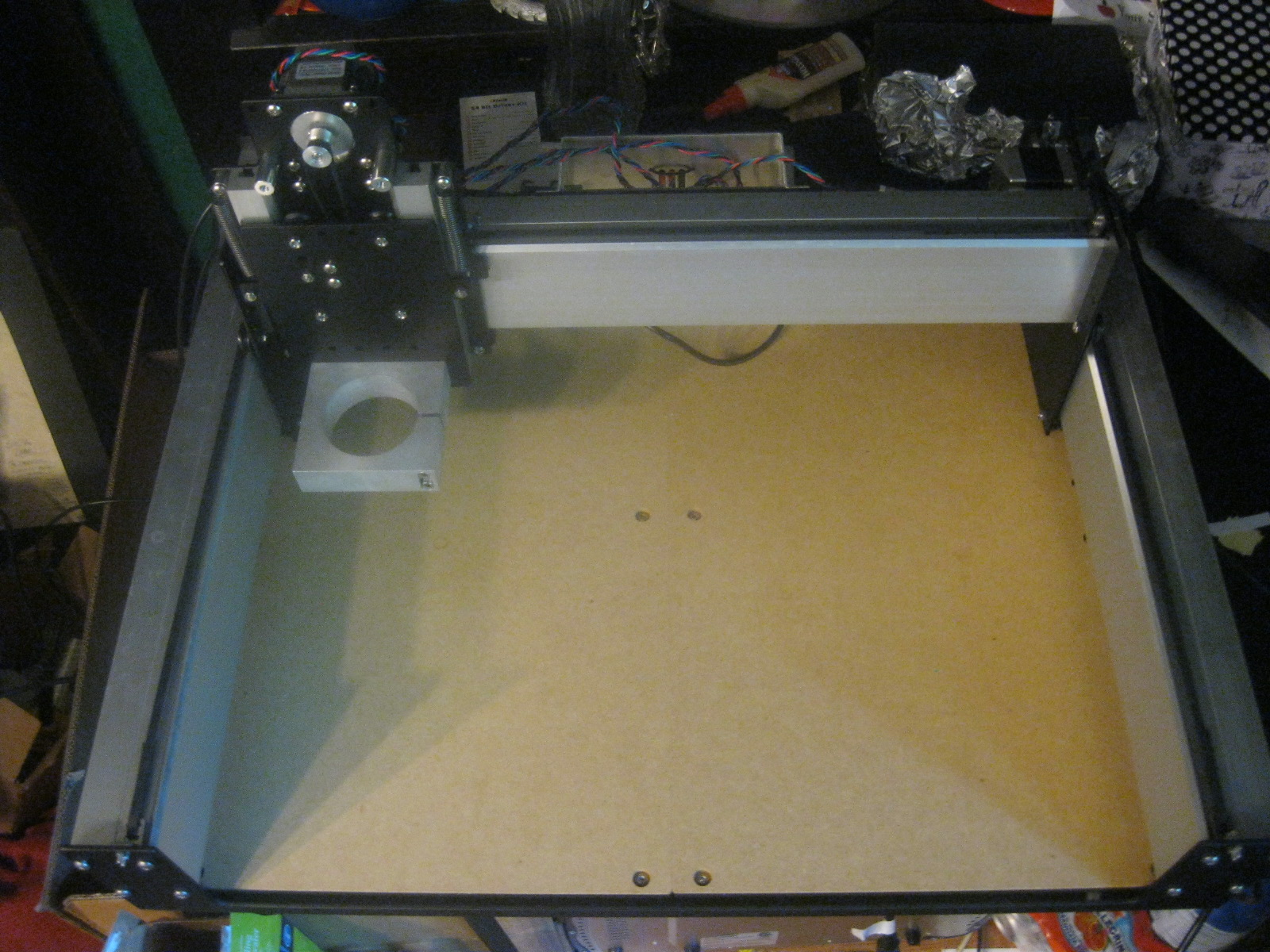
OK, maybe not quite so impressive as all that, but at this point, I have a fully assembled CNC machine which is responding to controller software commands and gcode files. Now, what shall I make first?
Subscribe to:
Posts (Atom)